即刻App年轻人的同好社区
下载
基于三款插件实现 obsidian 内嵌高频使用的几款大模型及AI工具:
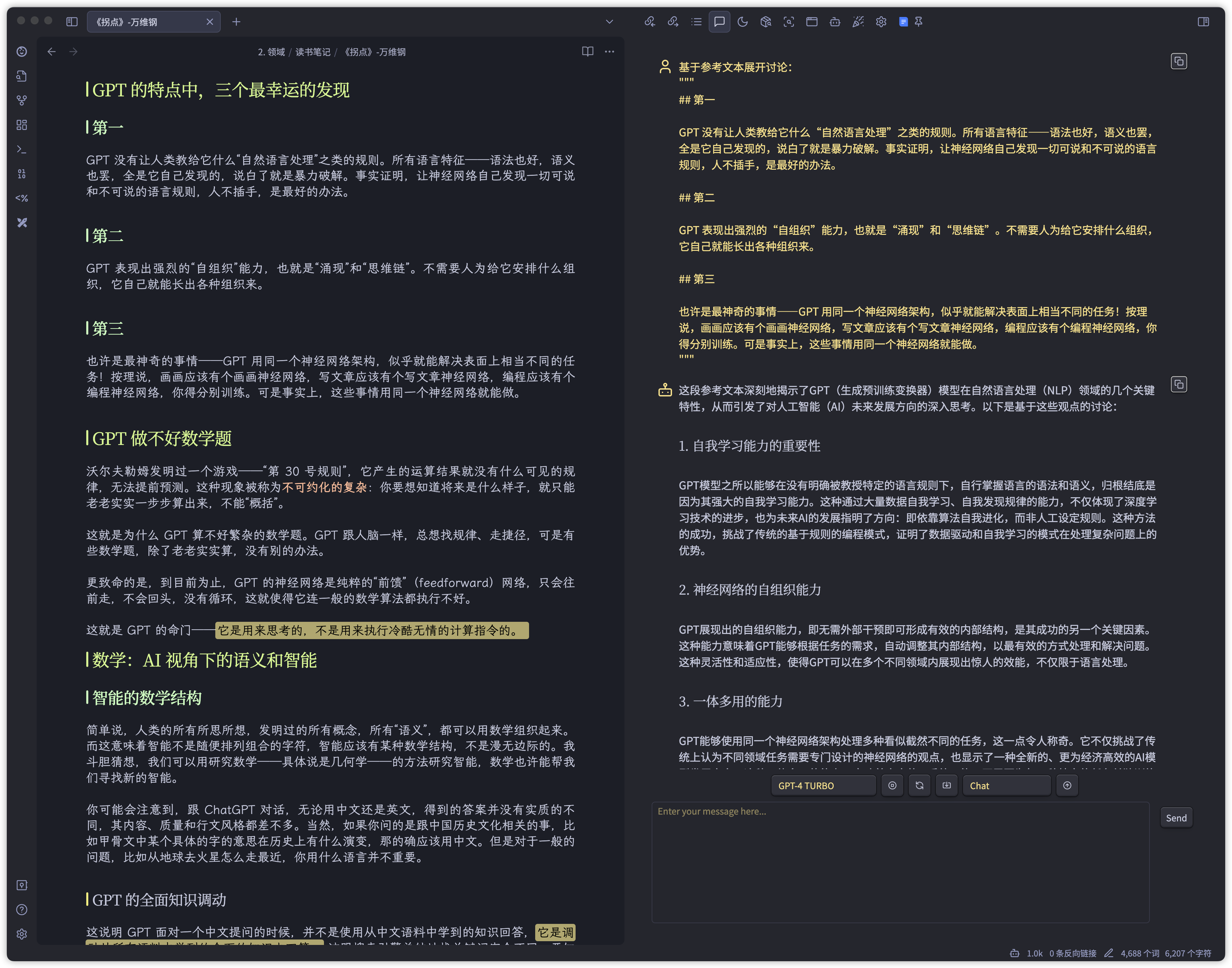
图1:左侧写作,右侧 copilot 接入大模型 api
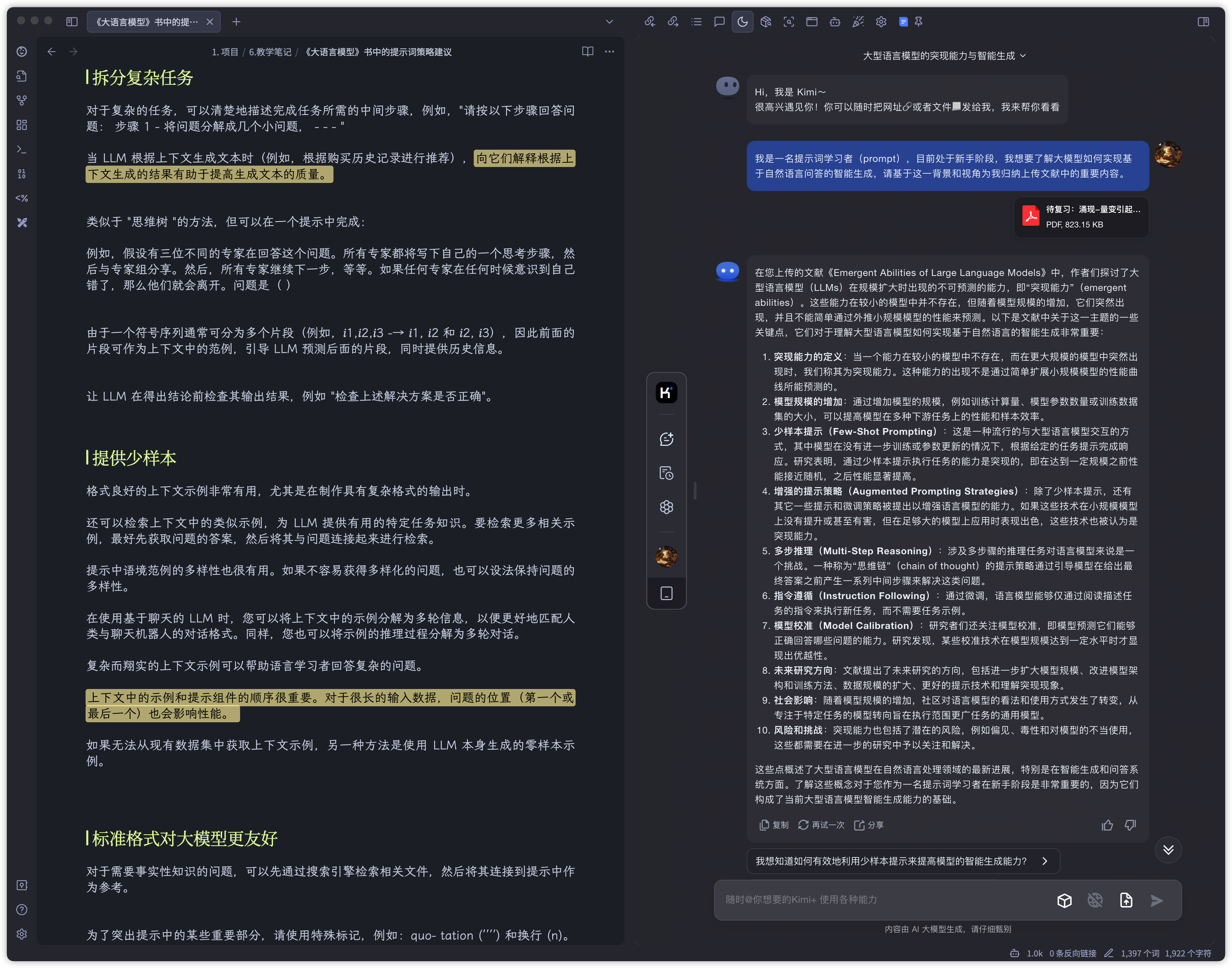
图2:左侧写作,右侧 Custom frames 接入Kimi web 端
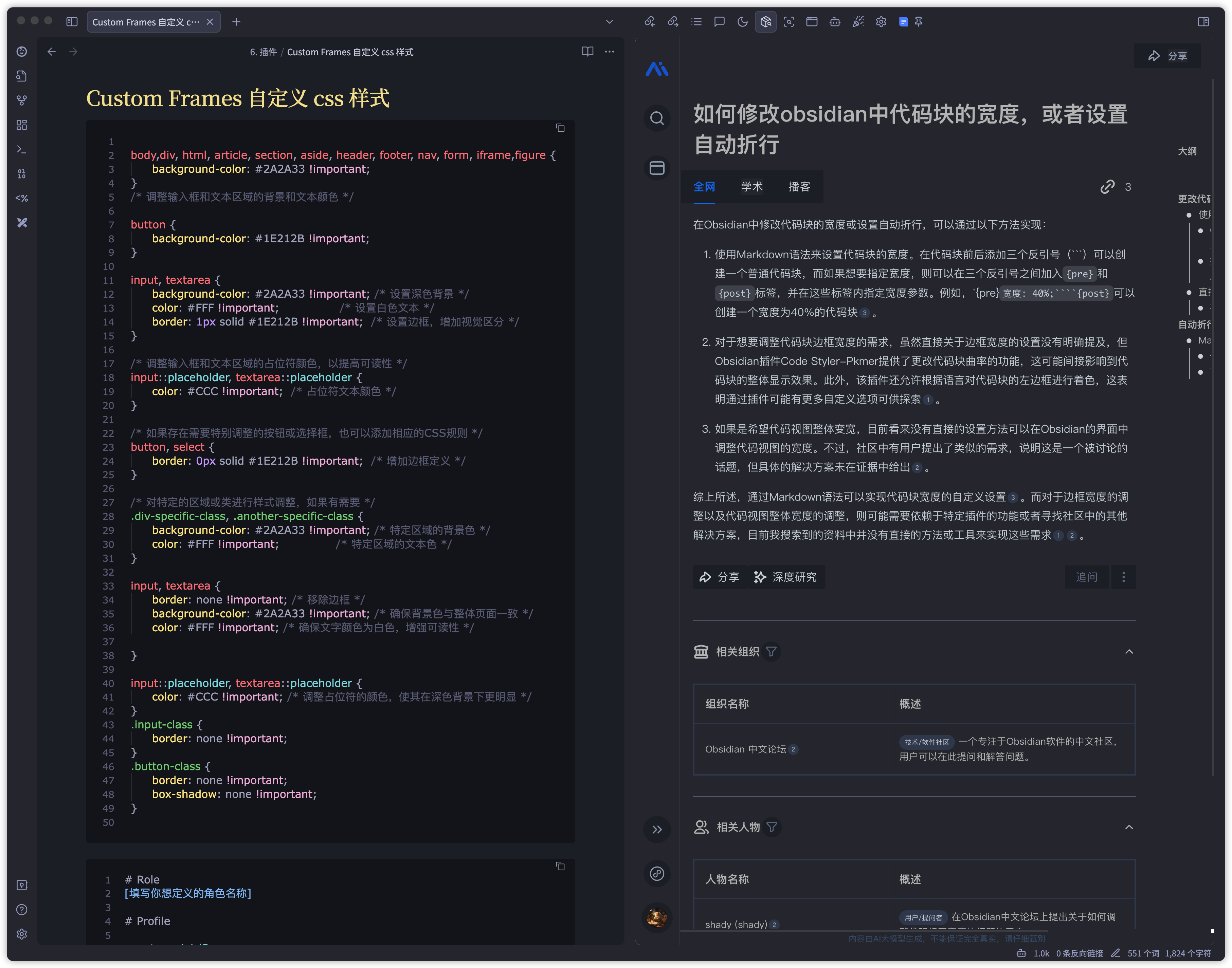
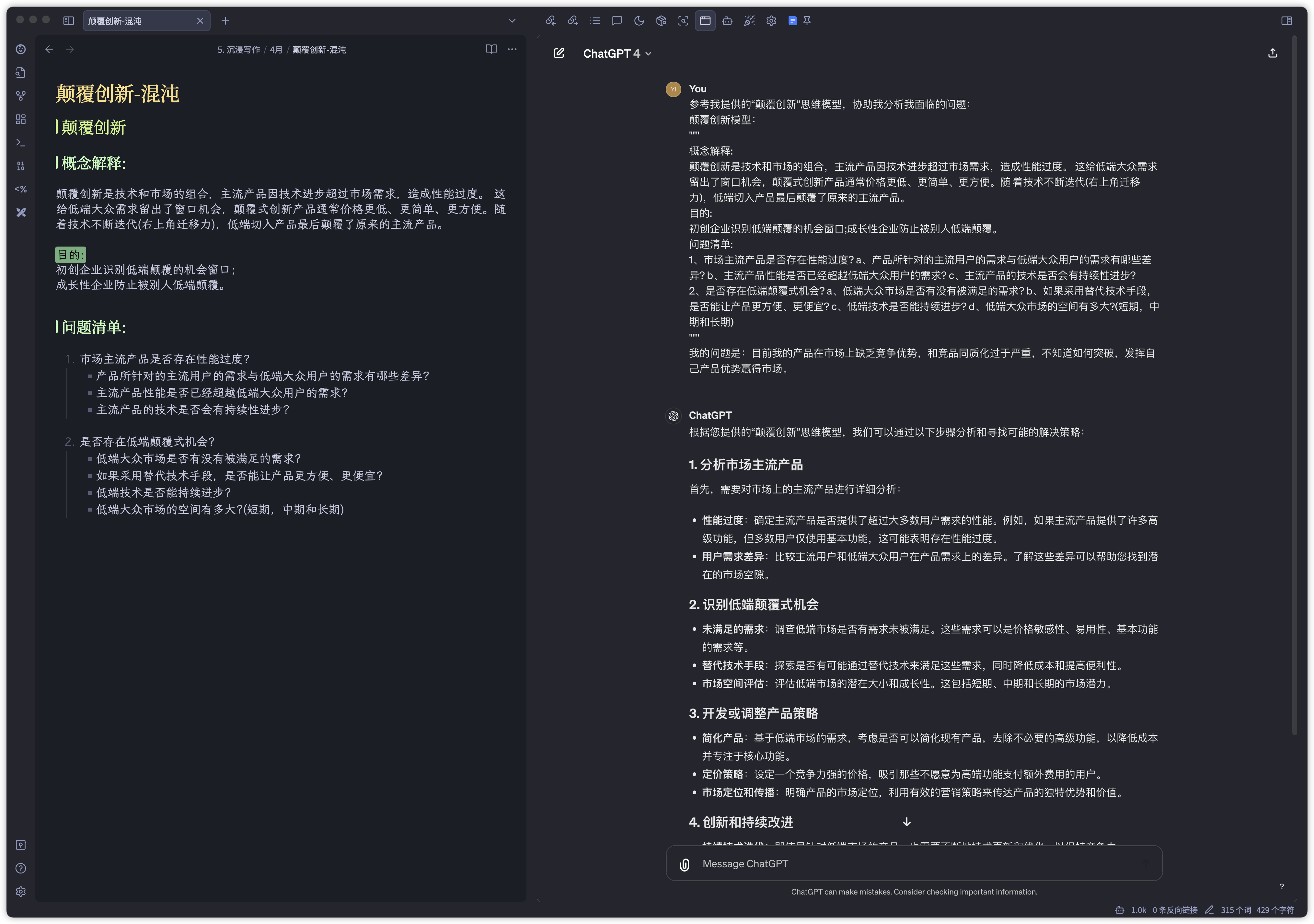
图3:左侧调试代码,右侧 Custom frames 接入秘塔 web 端
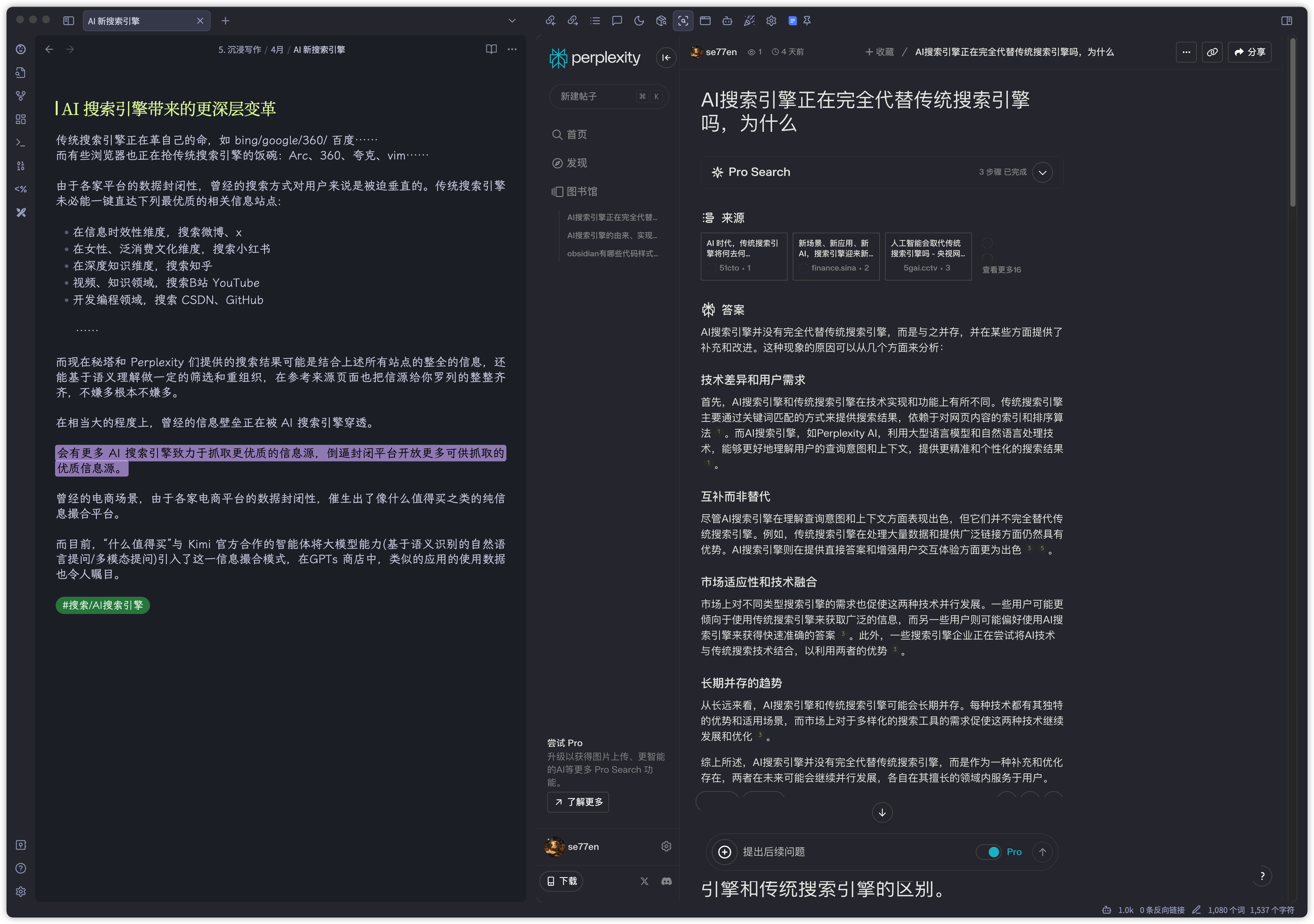
图4:左侧写作,右侧 Custom frames 接入 perplexity
图5:左侧写作,右侧 Custom frames 接入 ChatGPT web 端
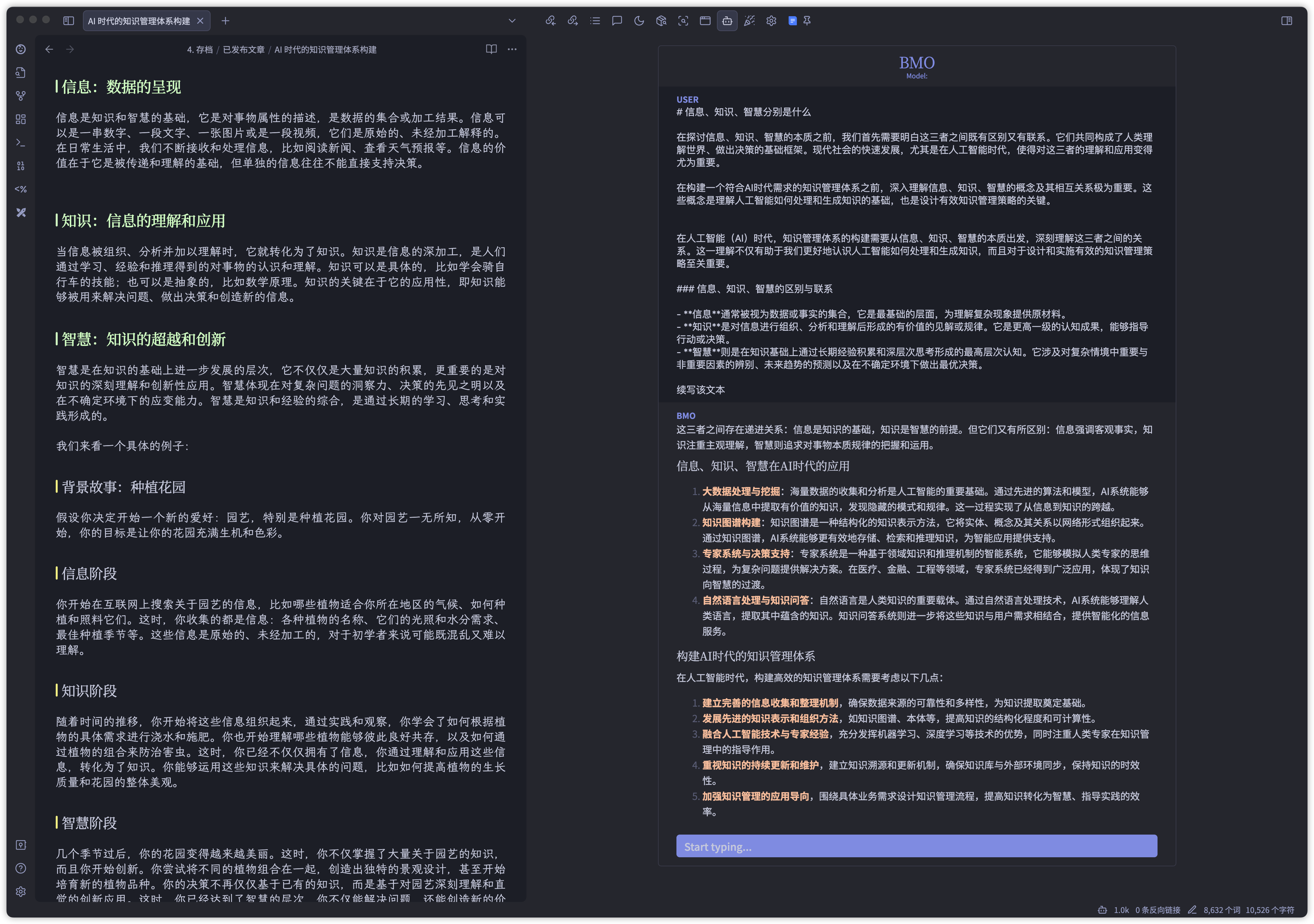
图6:左侧写作,右侧 BMO 接入 Claude3 api
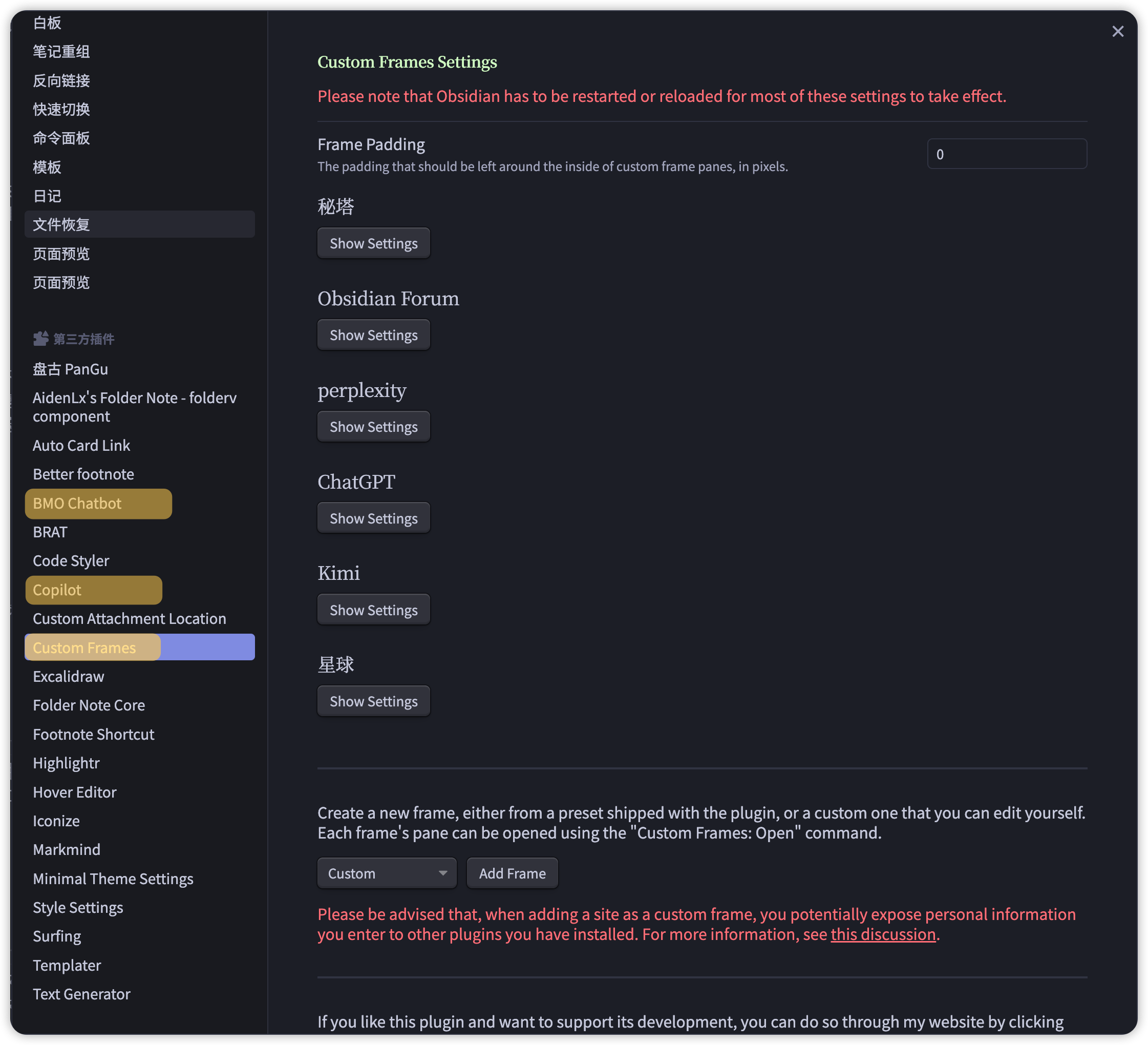
图7:高亮用到的三款插件,copilot 、Custom frames、BMO
ps:
接入网页的必要性见仁见智,我喜欢不跳出obsidian界面,尽可能减少打断心流状态,丝滑和 AI 工具交互。
Custom frames 接入网页时想要完美适配 obsidian的外观需要少量css调整,本人文科生编程小白,通过各种截图和自然语言描述需求用GPT写了些渣代码,程序员朋友别喷。
Claude3 的 api 是真难接,试了几款都不太行,BMO行是行,但速度略微有点慢。
图1:左侧写作,右侧 copilot 接入大模型 api
图2:左侧写作,右侧 Custom frames 接入Kimi web 端
图3:左侧调试代码,右侧 Custom frames 接入秘塔 web 端
图4:左侧写作,右侧 Custom frames 接入 perplexity
图5:左侧写作,右侧 Custom frames 接入 ChatGPT web 端
图6:左侧写作,右侧 BMO 接入 Claude3 api
图7:高亮用到的三款插件,copilot 、Custom frames、BMO
ps:
接入网页的必要性见仁见智,我喜欢不跳出obsidian界面,尽可能减少打断心流状态,丝滑和 AI 工具交互。
Custom frames 接入网页时想要完美适配 obsidian的外观需要少量css调整,本人文科生编程小白,通过各种截图和自然语言描述需求用GPT写了些渣代码,程序员朋友别喷。
Claude3 的 api 是真难接,试了几款都不太行,BMO行是行,但速度略微有点慢。
40 233
来自圈子

笔记交流站
10211人已经加入